Voltmasters Platform
Vic AI assistant
Vic AI is the Voltmasters assistant inside the platform: it answers questions about the documentation, reads your own projects, devices and incidents, links you straight to the right screen, and hands over to support when it cannot help further.
Vic combines three sources in one answer:
| Source | What it delivers |
|---|---|
| Documentation | The pages of this documentation site, searched per question. The pages used are shown as sources under the answer. |
| Your platform data | Live, read-only access to the projects, devices, incidents, project configuration and measurement data that your account is allowed to see. |
| Where you are | The project you have open. Ask about "the open incidents" without naming a project and Vic uses this one. Name another project or "all my projects" and it looks there. |
Where to find Vic
- Web portal: the chat button in the bottom-right corner, on every page inside a project.
- Mobile app: Vic links to app screens, and to the browser for tasks that only exist in the web portal, such as device parameters, external control, API keys and the subscription.
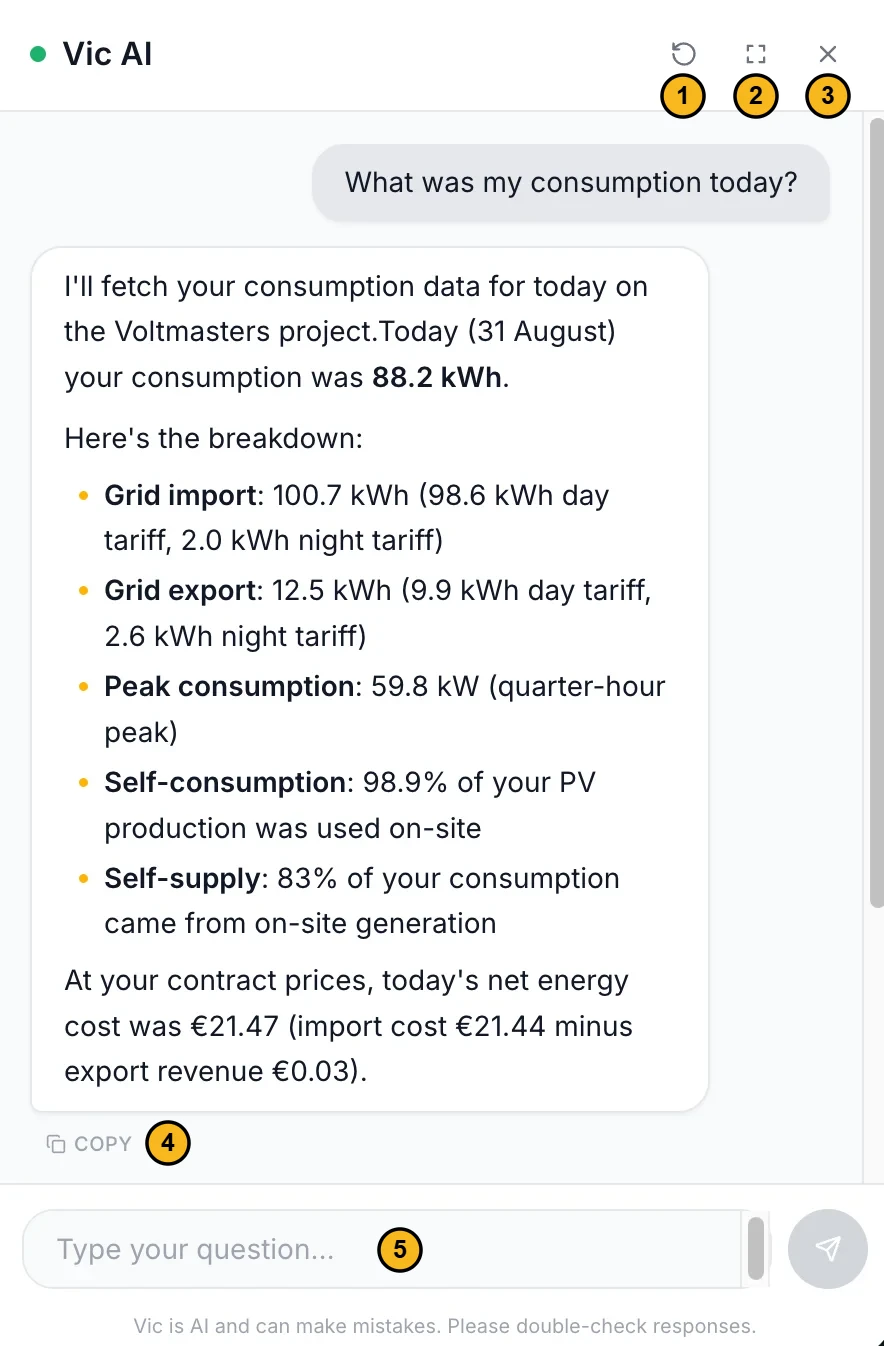
- New conversation: starts over, without the earlier questions.
- Fullscreen.
- Close.
- Copy: copies the answer.
- Question field: type your question here.
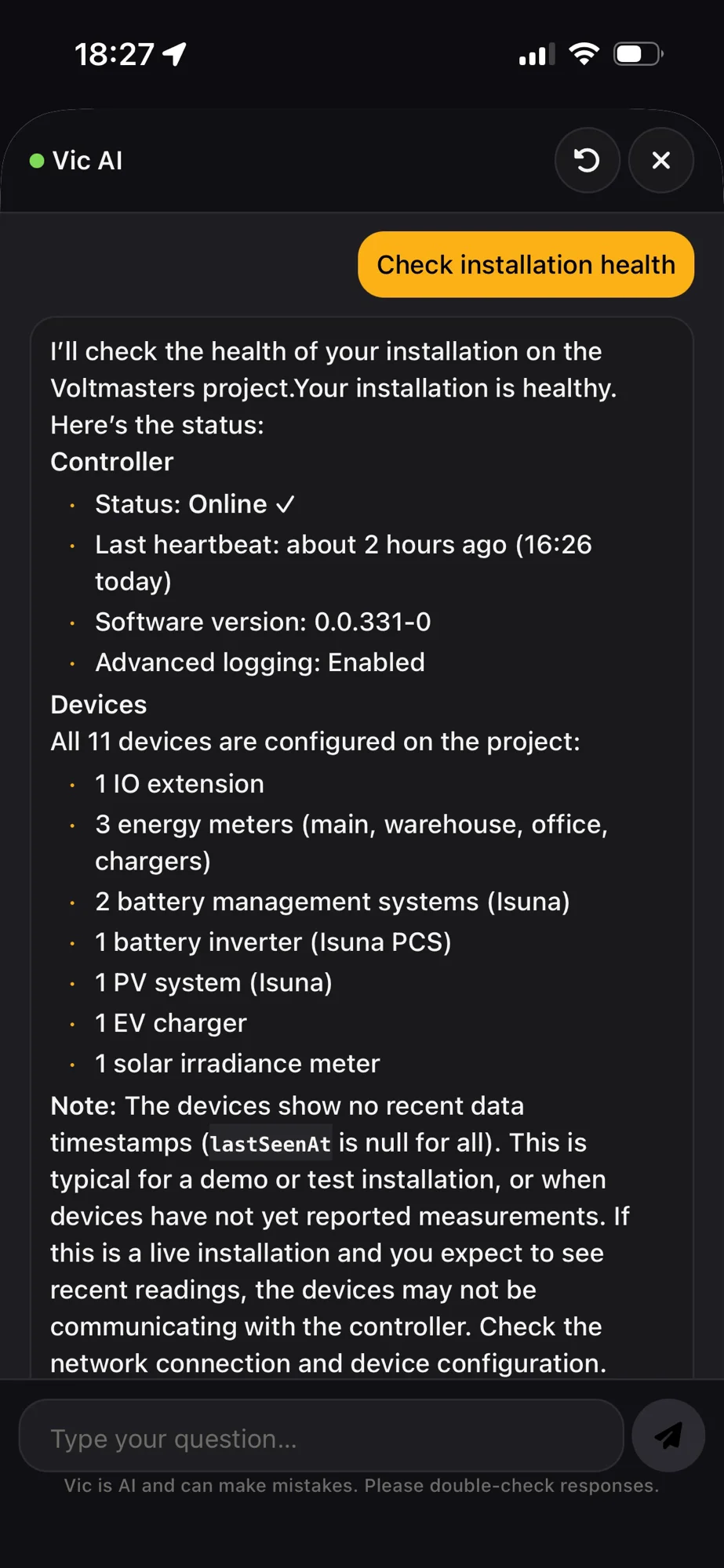
Vic in the mobile app.
Asking a question
Type the question the way you would ask a colleague.
- Your language. Ask in Dutch, French or English and Vic answers in the same language.
- Context is kept. Vic remembers the earlier questions of the conversation, so "and on my other project?" works as a follow-up.
- Vic checks what you tell it. When you state something about your installation, for example that the battery did not charge, Vic first compares it with the platform data. If the data shows otherwise, it says so.
Be concrete. "Which devices are on this project?" gets a better answer than "info about devices". Name the project, the device or the page you mean.
Screenshots and explaining a page
The + button next to the question field opens two options:
- Add image: add a screenshot to your question, for example of an error message or a chart. You can also drag an image into the chat or paste it with Ctrl+V (Cmd+V on a Mac). PNG, JPG and WebP, up to 4 per message.
- Explain this page: Vic takes a screenshot of the page you have open and explains what you are looking at and what the most important values mean. Your browser first asks whether it may share this tab. On a Mac, the browser also needs permission under System Settings, Privacy & Security, Screen & System Audio Recording.
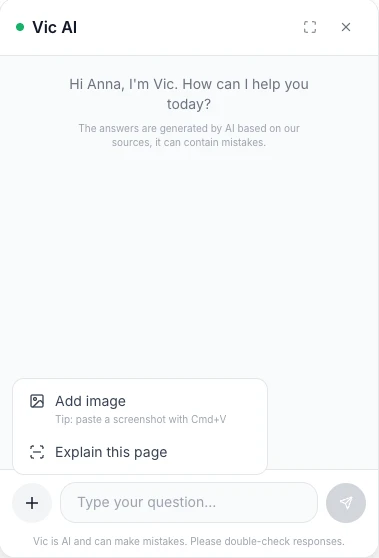
The + menu.
Sources and links in the answer
Sources
When documentation was used, the pages are shown as buttons under the answer. Questions about your own projects usually have no sources: the answer then comes from the platform.
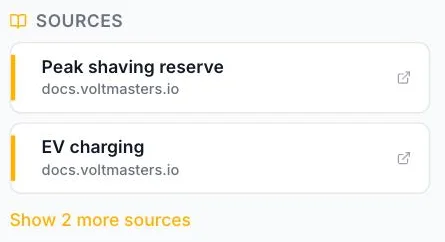
Links to the platform
Ask where something is and Vic answers with a clickable path to the screen. In the web portal the page opens in the same window and the conversation stays open. In the mobile app the app screen opens, or the browser for a task that only exists in the web portal. Vic only offers pages your role may open.
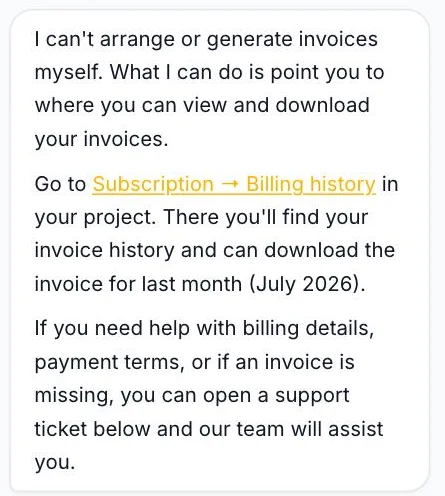
Handing over to support
Vic offers a ticket straight away when the question needs something it cannot do: an account action, billing, a hardware swap or data it has no access to. When a problem is still not solved after a few turns, it asks whether a Voltmasters engineer should pick it up.
A button then appears under the answer, Create a support ticket. Only your click creates the ticket. Vic never opens a ticket by itself.
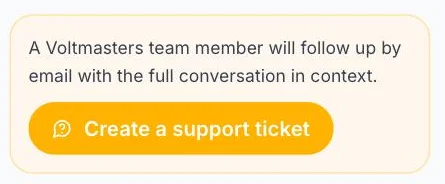
The ticket contains:
- an AI-written summary of the conversation;
- the full conversation history;
- the project you had open, with a link to its dashboard;
- your name and email address;
- the screenshots you added to the conversation.
Examples of questions Vic hands over:
- I want an invoice for last month. (billing)
- My controller has to be replaced. (hardware)
- Can you connect the cabinet for me? (electrical work, for a certified installer)
What Vic cannot do
| Limitation | Why |
|---|---|
| Vic only reads | You change settings, device parameters, strategies or users yourself in the platform, under your own name, with the change recorded in the activity log. Vic takes you to the right screen. |
| Vic can be wrong | Answers are generated. For an important decision, check them against the sources or the platform itself. |
| Only your own data | Access is enforced server-side per project. A project your account may not see, Vic cannot see either. |
| No passwords or keys | Never paste passwords, API keys or tokens into the chat. |
| No pricing or roadmap | Commercial questions go to the sales team. Vic does not answer about features that are not released. |
| Fair-use limit | After a burst of questions in a short time, Vic asks you to wait a moment. |
Example questions
Your own projects, devices and incidents
- Which projects do I have access to?
- Are there any active incidents right now?
- Do I have a Huawei inverter on any of my projects?
- Which strategy is active on this project?
Finding your way in the platform
- Where do I find the activity log?
- Where can I manage the API keys of this project?
- Where do I add a colleague to this project?
- Take me to the battery dashboard.
How the platform works
- What is the difference between cost optimization and self-supply?
- How does the peak shaving reserve work?
- When do I get an email about an incident?
- What does the EMS controller need in terms of network and internet access?
Troubleshooting
- My PV inverter has been showing no data since yesterday, where do I start?
- I get a "device offline" incident on my energy meter, what are the usual causes?
- The battery is not charging even though prices are low, what should I check?
- An EV charger stays on "waiting", what does that mean?
Frequently asked questions
Does Vic see the data of my project live?
Yes. Vic queries the platform at the moment you ask, with your own access rights. That is why "are there open incidents" gives the current answer.
Vic also reads measurement data when a question needs it: the state of charge history of a battery, the power per quarter hour of a device, the battery plan and the expected state of charge, energy figures and peaks per energy meter, earlier decisions of the controller and live device values. For an overview over time the dashboards remain the place to look, and Vic links you to them.
Are my conversations stored?
Yes. Conversations are stored linked to your account and the project, so that support can pick up a ticket with full context and Voltmasters can monitor the quality of the assistant. Screenshots you add are deleted automatically after a retention period.
Vic gives an answer I doubt. Now what?
Check the sources under the answer. If there are no sources, Vic answered from general knowledge or from your platform data, and says which.
Still not right? Ask again with more detail, or create a support ticket. The ticket contains the whole conversation, so we can see where it went wrong.
Which technology is behind Vic?
Vic runs on Anthropic’s Claude models. Per question the documentation is searched with a combination of semantic and keyword search, the relevant fragments go to the model along with your question, and the model calls read-only platform tools when the question is about your own data. The whole exchange runs over the Voltmasters platform; no data goes to third parties beyond the model provider processing the question.