DSO RTU
Configuration
Set up Fluvius Fall-Back Flex in the Voltmasters platform, step by step: P_base, the flex scope, P_red, day-ahead planning with programs and certificate, the flexible devices and the test.
Fall-Back Flex is configured in the DSO RTU settings, under Configuration → Grid & market → DSO RTU settings, with Fluvius Netflex as provider. It builds on a working Netflex link, see Configuring Fluvius telecontrole.
What you need
| Data | Source |
|---|---|
| P_base (contractual consumption power, kW) | Bid form |
| P_red (reduced power, kW) | Bid form of the awarded bid |
| Registered flexible consumption power (kVA) | Zone sheet (ask the customer) |
| Day-ahead steering required: yes or no | Zone sheet |
| Asset point id and program ids | Fluvius (only with day-ahead steering) |
| Client certificate and private key | Customer, see Planning certificate (only with day-ahead steering) |
Start the certificate first when the zone requires day-ahead steering: it has the longest lead time.
Step by step
Enter P_base in the grid settings
Under Configuration → Grid & market → Grid settings, set the consumption access power to P_base from the bid form. It is the 100 % reference of every Fluvius limit. Without it, Fall-Back Flex cannot steer.
Fill in the flex scope
In Flex according to the study: switch Technical flex imposed on only when the study imposes it, and enter the Registered flexible consumption power from the zone sheet.
Enable Fall-Back Flex
Switch Fall-Back Flex on and enter P_red. Check the flexible volume the form shows against the bid form.
Set up day-ahead planning (when required)
Switch Day-ahead planning required on, enter the asset point id, map the programs and upload the certificate and the private key.
Make the flexible consumption controllable
Add the battery, the EV chargers and the controllable loads under Configuration → Devices, each with its nominal power. Give the loads a Priority: 1 is switched off last. Check that channel 6 in the Netflex measurement channels covers the registered flexible consumption power.
Save and check the controller
Save the form. The controller picks up the settings within a minute. If its software is too old for Fall-Back Flex, the form and the Fall-Back Flex page say so: update the controller first.
Test
Ask Voltmasters support for a test limit (for example 80 %) and follow it on the Fall-Back Flex page: the net consumption must be below the limit within 3 minutes. Then plan the commissioning test with Fluvius (reason code 99), see Commissioning & certification.
What Fluvius watches during an activation
Fluvius settles on the billing meter, but the Netflex cabinet also watches channel 6 (flexible consumption): during a limit, that is where Fluvius expects the power to drop.
- Everything the zone sheet counts as flexible consumption goes in channel 6, the battery included.
- EV charging stays separate, in channel 5.
- Without technical flex the asset channels (1, 2, 3, 4 and 7) stay empty.
The channel per device is set in the Netflex measurement channels, which also compare channel 6 with the registered flexible consumption power.
Classic mistake: channel 6 well below the registered power. Fluvius then sees only part of the volume drop and counts the service as not delivered, even though the site did reduce.
Flex according to the study
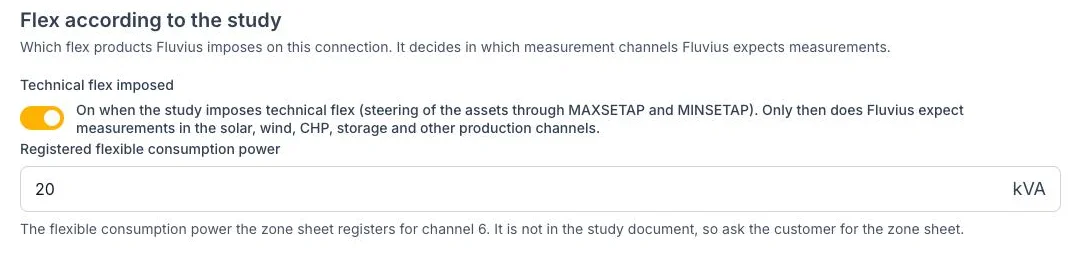
The flex scope decides which measurement channels Fluvius expects.
| Field | What to enter |
|---|---|
| Technical flex imposed | Off for a connection with only Fall-Back Flex. On when the study also imposes technical flex. |
| Registered flexible consumption power (kVA) | The flexible consumption power the zone sheet registers for channel 6. |
Fall-Back Flex
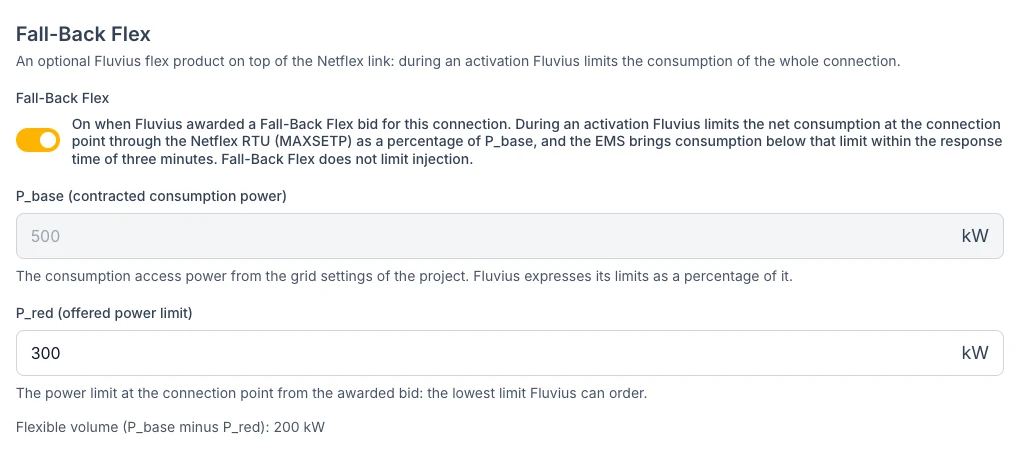
P_base comes from the grid settings, P_red from the bid.
| Field | What to enter |
|---|---|
| Fall-Back Flex | On when Fluvius awarded a Fall-Back Flex bid for this connection. |
| P_base (contracted consumption power) | Read-only, from the grid settings. If it is missing, the form links to the grid settings. |
| P_red (offered power limit) | The reduced power of the bid, in kW. It must be below P_base. |
Day-ahead planning
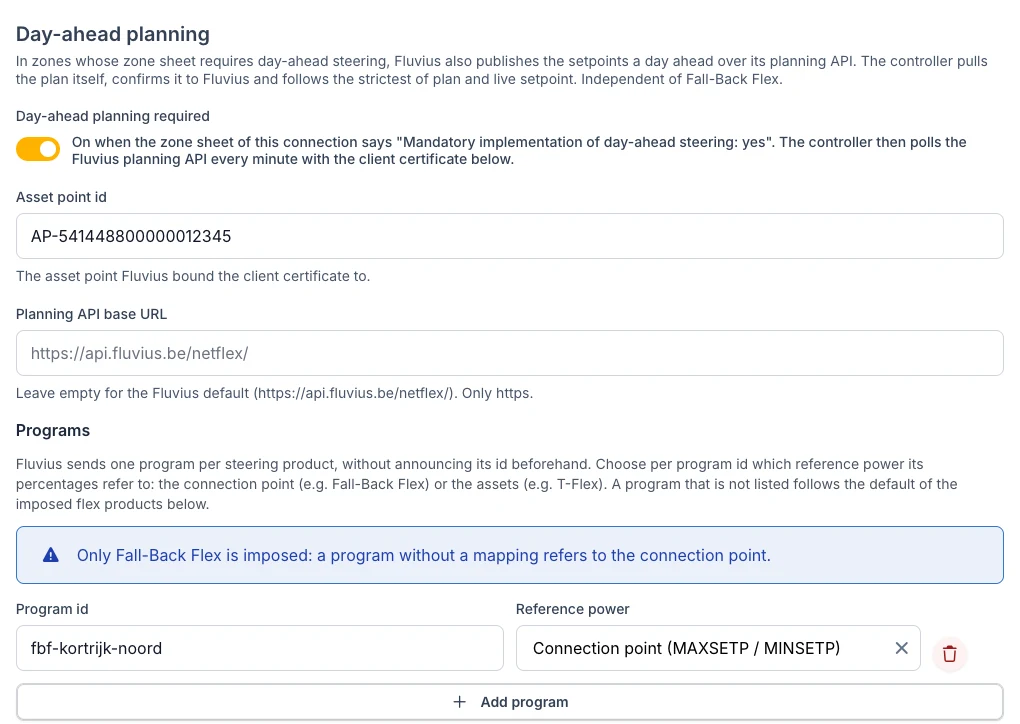
Day-ahead planning: asset point id and one program per steering product.
| Field | What to enter |
|---|---|
| Day-ahead planning required | On when the zone sheet says "Mandatory implementation of day-ahead steering: yes". The fields below only appear then. |
| Asset point id | The asset point Fluvius linked the certificate to. |
| Planning API base URL | Leave empty. Only fill it in when Fluvius gives you another URL. |
| Programs | Every program id Fluvius announced, with its Reference power: Connection point or Assets. See Programs. |
| Client certificate (PEM) | The certificate Fluvius registered. |
| Private key (unencrypted PEM) | The key that belongs to the certificate. |
| CA certificate of the Fluvius server | Optional. |
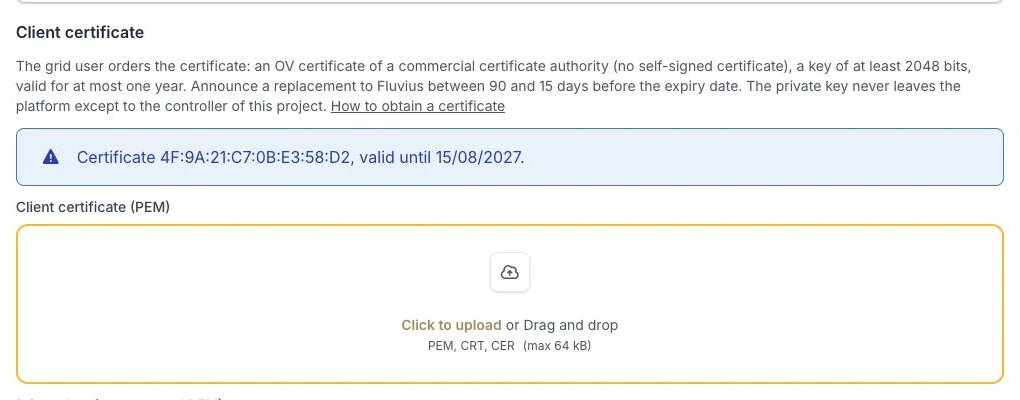
After the upload only the thumbprint and the expiry date are shown.
On upload the platform checks that the certificate is readable, not self-signed and not expired, that the key has at least 2048 bits and that it matches the certificate.
Switching day-ahead planning off deletes the asset point id, the programs and the stored certificate. Switching Fall-Back Flex off clears P_red.