Voltmasters Platform
Battery (ESS) dashboard
The Battery dashboard in the Voltmasters EMS: state of charge, daily cycles, available energy and the charge and discharge profile per battery.
The Battery dashboard shows the state and performance of the energy storage system.
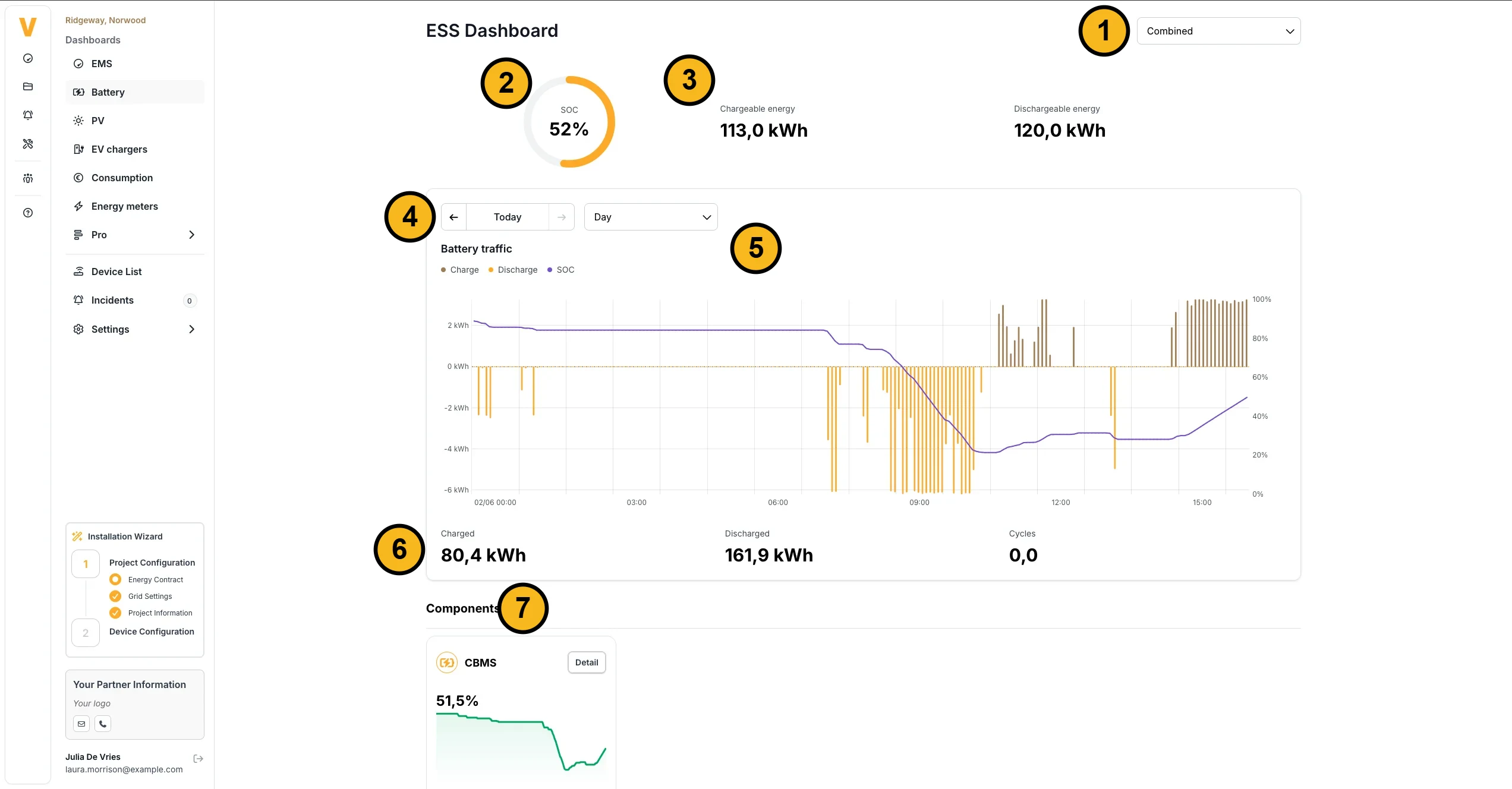
- View: each battery separately, or all batteries together (Combined).
- State of charge (SOC) in percent.
- Chargeable and dischargeable energy: how many kWh the battery can still take in and give off.
- Date and period of the chart below.
- Battery traffic: a bar chart of charging and discharging, with the SOC as a line through it.
- Charged, discharged and cycles over the chosen period.
- Components: per battery component, for example CBMS1 and CBMS2, the SOC with its history, and among others the status, dischargeable energy, current, voltage and temperature. The DC converter section shows the inverter power, voltage and current.
Several months in one chart
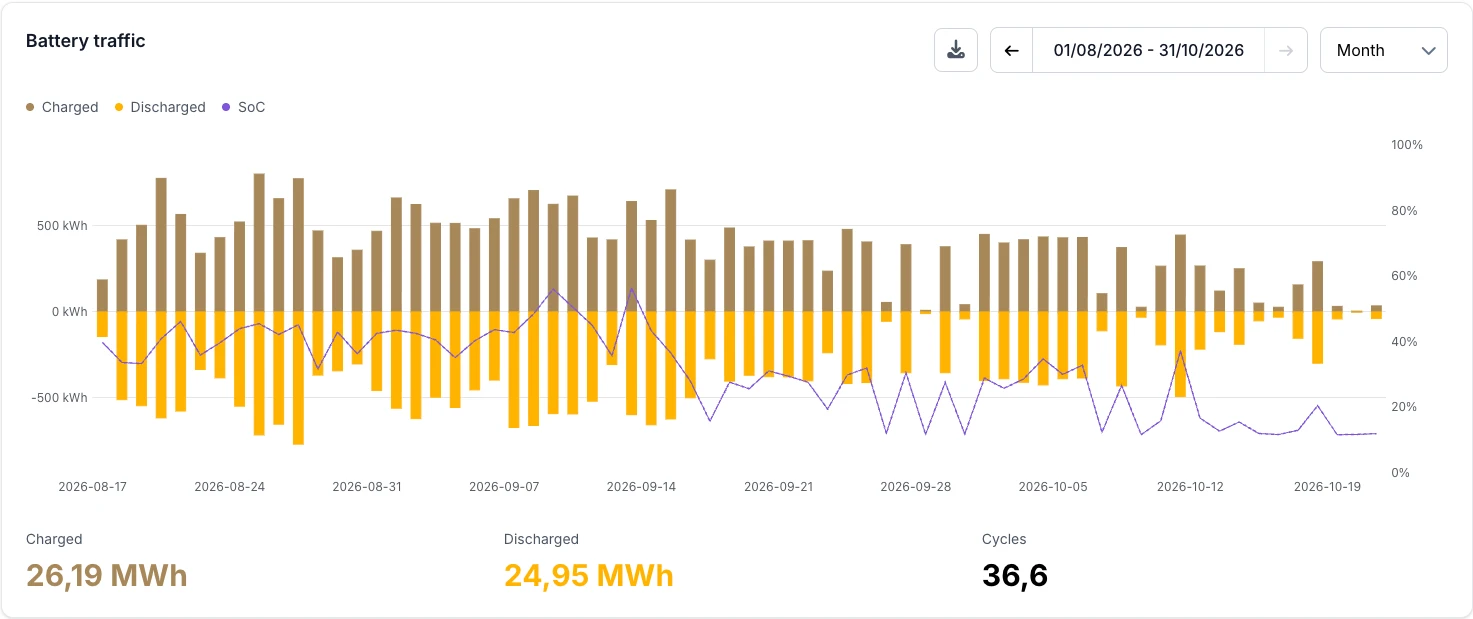
In the month view you can pick a period of up to twelve months: choose a start month and an end month, at the latest the current month. The Battery traffic chart then draws one bar per day, with the charged energy above zero and the discharged energy below zero, and the state of charge as a thinner line.
Battery rack details
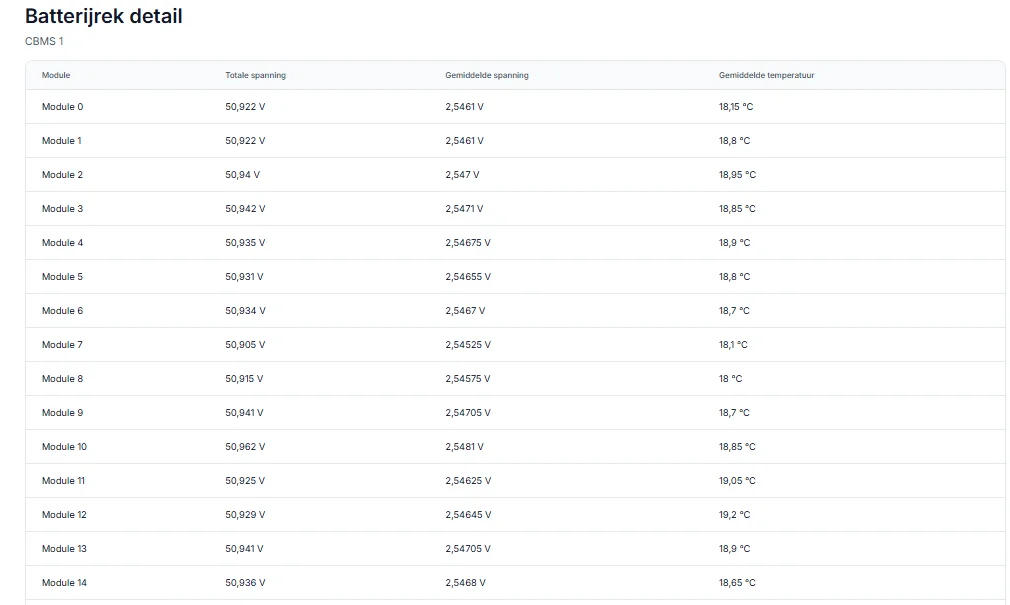
Click Detail on a component for the data per module: the total voltage, the average voltage and the average temperature.
Frequently asked questions
Where can I find how much energy is left in my battery?
The battery dashboard shows the current state of charge (SOC) as a percentage and, where available, the amount of energy still available for discharge in kWh, both as an overall figure and per individual battery unit. The EMS dashboard also displays a summary of the current SOC.
To understand what the algorithm is currently deciding for a specific device, open the EMS dashboard. It shows the algorithm's active decision per device, for example whether a battery is being charged, discharged, or held in standby, and why.
Why is my battery still charging or discharging when it should not be?
Several factors can cause small unexpected power flows:
- A configured grey zone around zero kW within which the system does not actively correct.
- Measurement tolerances and a small delay between measuring and adjusting.
- Other active strategies, such as imbalance trading signals or a manual override.
- Loads behind your main meter that are not controlled by the EMS.
If the behaviour is persistent and significant, check the active strategy settings and any manual overrides under Devices.
Does the battery still work when the controller is offline?
When the EMS controller is offline, the battery is no longer under active smart control by Voltmasters. Some devices have a built-in fallback mode, for example a fixed charge power for an EV charger, but price optimisation, grid protection, and strategy-based control are not available while the controller is disconnected. Smart control resumes automatically once the controller comes back online.