Voltmasters Platform
Subscription and billing
Manage a project's Voltmasters subscription, view the billing history and invoice details, and order hardware in the Voltmasters shop as a partner.
Under Subscription, accessible via the project menu for accounts with the appropriate permissions, you can manage the Voltmasters subscription for this project and view your invoice history.
Your subscription
The screen shows the duration, the renewal date and the plans of the project, with the installed power per plan.
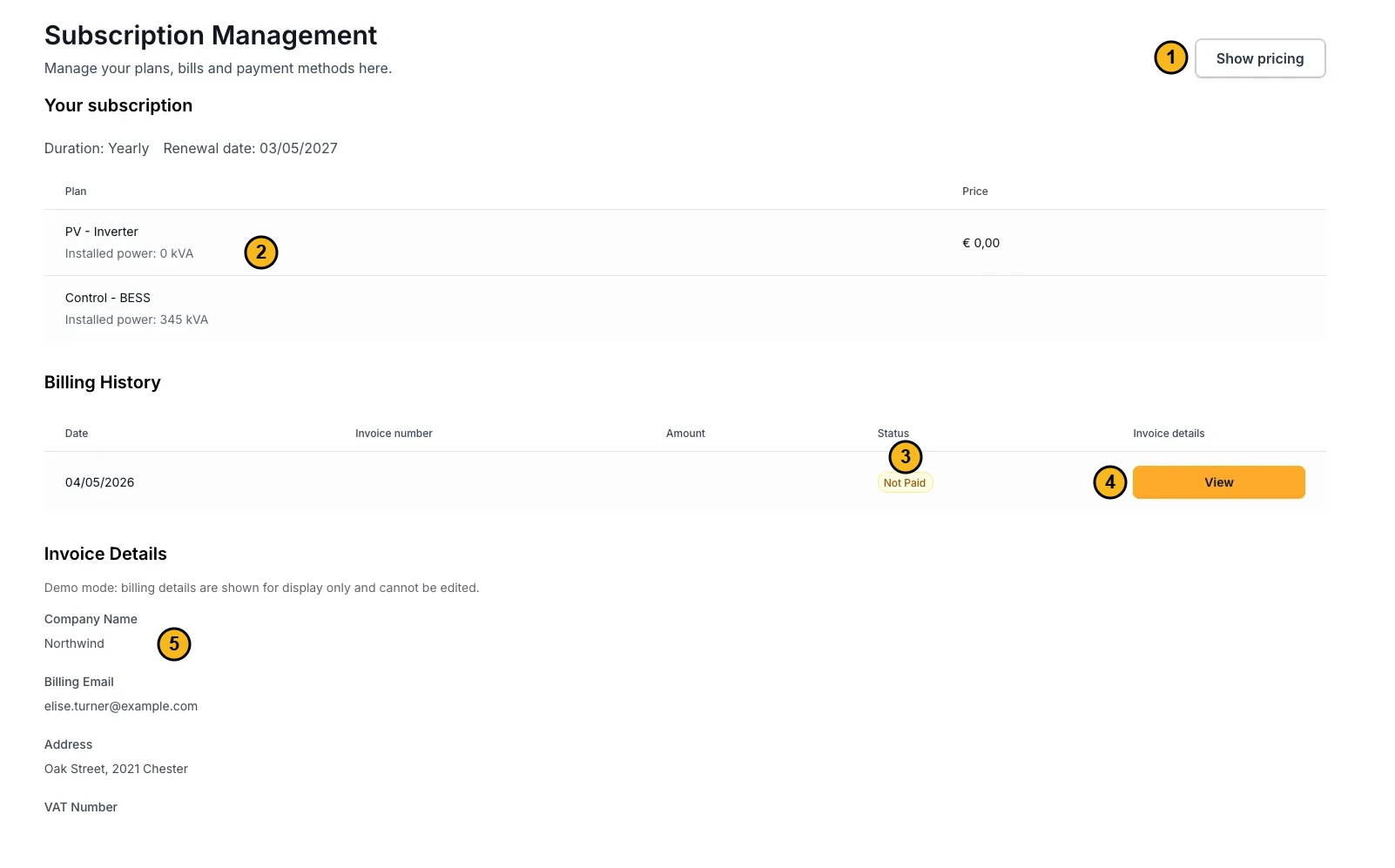
The subscription screen. The numbers match the explanation below.
- Show pricing: opens the prices of the available plans.
- Plans and installed power: per plan, the power of your project in kW.
- Status of the invoice, for example Not Paid.
- View: opens the invoice.
- Invoice details: company name, billing email address, address and VAT number.
Billing history
Invoices are generated and stored under Billing history within the Subscription section. Payment is processed according to the terms agreed in your contract with Voltmasters, either by bank transfer or by direct debit.
With access to the subscription and billing screen, you can view your invoices and the amounts stated on them. What is visible depends on the permissions assigned to your account.
Invoice details
Invoices are sent to the email address and postal address stored under Invoice details. Make sure these details are up to date to ensure you receive your invoices correctly.
The Voltmasters shop
Partners order hardware and accessories in the Voltmasters shop, reachable from the Shop entry in the partner menu. You are signed in automatically, and orders and prices follow your partner.
Frequently asked questions
No active subscription
If your project shows a message indicating that there is no active subscription, no Voltmasters subscription has yet been linked to your environment. Follow the steps below to activate one.
If you believe a subscription should already be active, contact Voltmasters Support. It is possible that a subscription exists on the back end but has not yet been linked to your project.
How do I activate a subscription?
If your account has permission to activate a subscription:
- Navigate to Subscription or click Show pricing within the project.
- Follow the on-screen steps to select and activate a plan.
If the option is not visible or you receive an error, your account may not have the required permissions. Contact Voltmasters Support for assistance.
What does price per kW mean?
Some subscription products are priced per installed kilowatt of a specific component (for example, per kW of battery capacity). The on-screen wizard explains what to enter for the chosen product.
Why do I need to enter my bank account number?
Your bank account number is required for payment by direct debit or, where applicable, for outgoing transfers, in accordance with the payment terms agreed in your contract with Voltmasters.