Device integrations
Fronius
Supported devices: Fronius inverters over SunSpec Modbus TCP, including the Primo GEN24 6.0 208-240 Plus and the SunSpec Modbus Card (beta)
Our EMS monitors and curtails Fronius PV inverters over SunSpec Modbus TCP.
Supported devices
| Model | Note |
|---|---|
| Generic | Any Fronius inverter that offers SunSpec over Modbus TCP |
| Primo GEN24 6.0 208-240 Plus (beta) | |
| SunSpec Modbus Card (beta) | For Fronius inverters with the SunSpec Modbus Card |
A Primo GEN24 Plus, Symo GEN24 Plus or Symo Hybrid with a Fronius battery is added as a battery system, not here. See Fronius under battery systems.
Setup
Open the web interface of the inverter
Connect to the same network as the inverter and type its IP address in your browser.
Set up Modbus
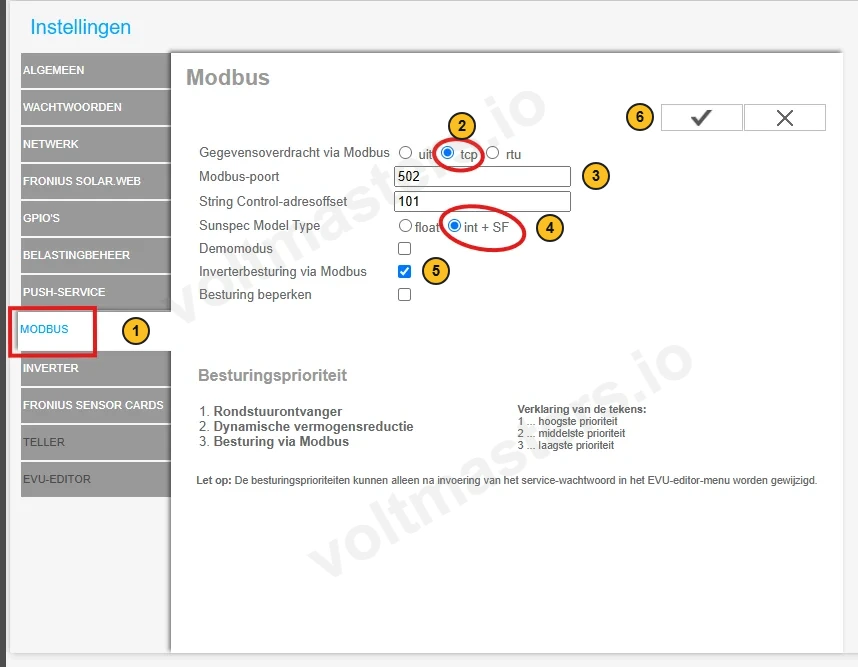
- In the menu on the left, choose MODBUS.
- Set Gegevensoverdracht via Modbus (data transfer via Modbus) to tcp.
- Leave the Modbus port at
502, unless your network needs another port. - Set Sunspec Model Type to int + SF (integer plus scale factor), the register format the EMS expects.
- Tick Inverterbesturing via Modbus (inverter control via Modbus). This lets the EMS curtail, not only read.
- Save with the checkmark.
Enable data logging during night hours
Otherwise the inverter shuts down its communication at night and the EMS loses the connection.
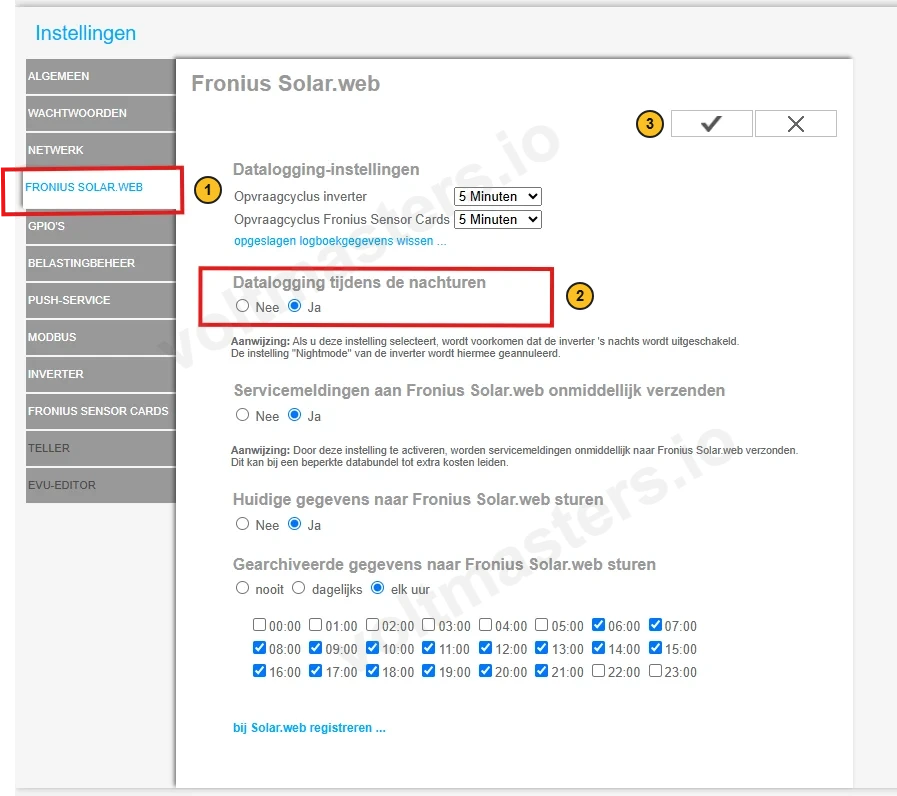
- In the menu on the left, choose FRONIUS SOLAR.WEB.
- Set Datalogging tijdens de nachturen (data logging during night hours) to Ja (yes).
- Save with the checkmark.