Microgrid
Configuration
Configure a Voltmasters microgrid: the microgrid settings and thresholds, the IO roles on the IO module, the generator settings and the load shedding priorities.
A microgrid is configured in four places on the project. This page walks through them in the order you set them up.
Before you start
- The project's controller runs a firmware version that supports Microgrid. Until then the settings below stay hidden.
- The devices are added: the battery (PCS), the IO module and, if present, the generator and the PV inverters. See Adding and verifying devices.
- You are a Voltmasters administrator or have the Installer role on the project.
Microgrid settings
Open Configuration → Grid & market → Microgrid settings. One Save at the bottom stores the whole page and sends it to the controller.
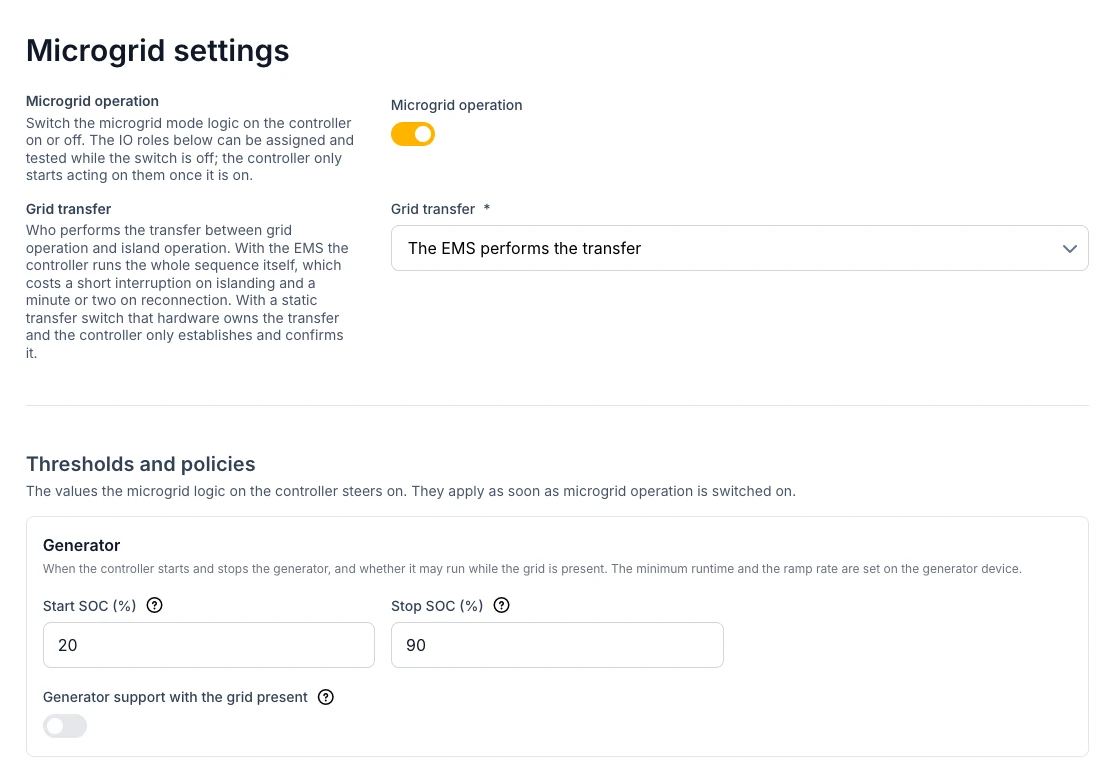
The top of the page: the main switch, the grid transfer and the first group of thresholds.
| Setting | Meaning |
|---|---|
| Microgrid operation | Switches the microgrid logic on the controller on or off. The IO roles can be assigned and tested while it is off; the controller only acts on them once it is on. |
| Grid transfer | Who performs the transfer between grid and island. Choose The EMS performs the transfer: a static transfer switch is not supported by the controller yet. |
Thresholds and policies
They apply as soon as microgrid operation is on.
| Group | Setting | Default | Meaning |
|---|---|---|---|
| Generator | Start SOC (%) | 20 | Below this state of charge the controller starts the generator. |
| Stop SOC (%) | 90 | Above this state of charge it stops the generator again. Must be above the start threshold. | |
| Generator support with the grid present | Off | Lets the generator support the site on the grid too, for example to shave a peak. Off: it only runs in island operation. | |
| Grid window | Minimum grid voltage (V) | 207 | Outside this window the grid does not count as usable. |
| Maximum grid voltage (V) | 253 | ||
| Minimum grid frequency (Hz) | 49.5 | ||
| Maximum grid frequency (Hz) | 50.5 | ||
| Grid stable for (s) | 60 | How long voltage and frequency must stay inside the window before the grid counts as returned. | |
| AC bus | Confirm a dead bus after (s) | 10 | How long the bus must stay without voltage before the controller considers it dead. |
| Reconnection | Reconnection | Manual | Manual (release from the app) waits for a release. Automatic reconnects on its own. See Grid reconnection. |
| Automatic reconnection delay (s) | 60 | Only with Automatic: how long the controller waits after a stable grid. | |
| Islanded operation | PV while islanded | Limit | Limit keeps the inverters online under a setpoint. Disconnect takes them off the AC bus (needs a PV relay, see below). Unavailable: the PV cannot be steered and stays off. |
| Power reserve (%) | 10 | Share of the available power kept free to absorb a sudden load. | |
| Start load shedding at SOC (%) | 30 | Below this state of charge the controller starts shedding loads. | |
| Island reserve SOC (%) | 50 | On the grid the battery does not discharge below this, so energy is ready for an outage. Topped up from the grid at any price. 0 turns it off. |
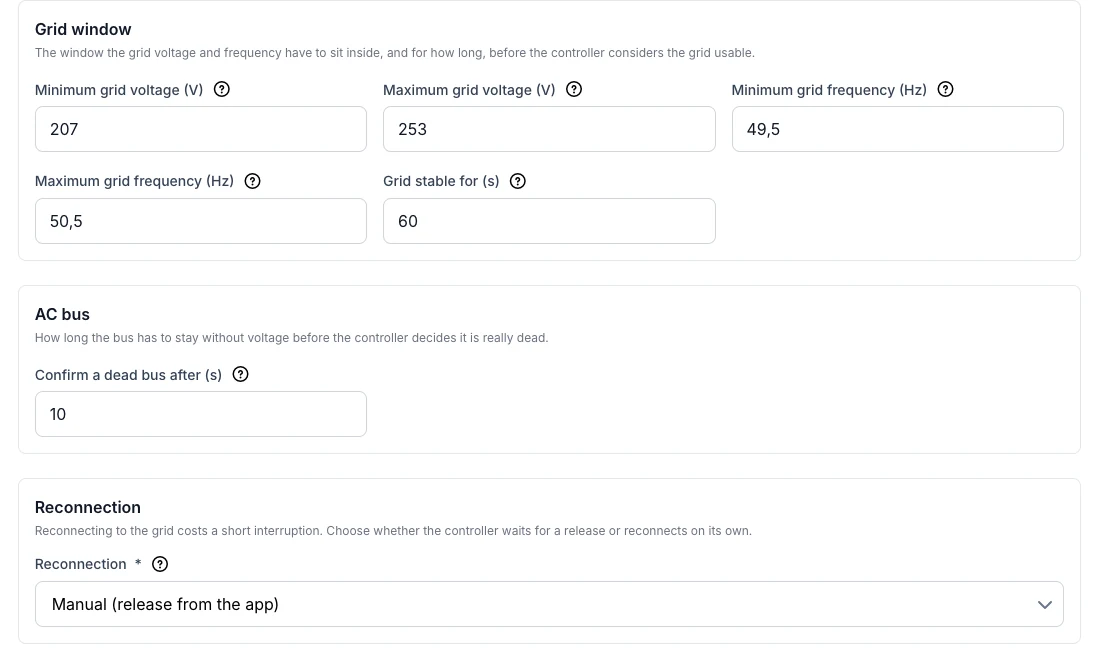
The grid window, the AC bus and the reconnection, with their defaults.
IO roles
In the Microgrid section at the bottom of the page you assign every signal to a port of the IO module: pick the IO extension and the Port. For outputs you also choose the Actuation: Level (hold) or Pulse, with a Pulse duration (s) (5 s by default).
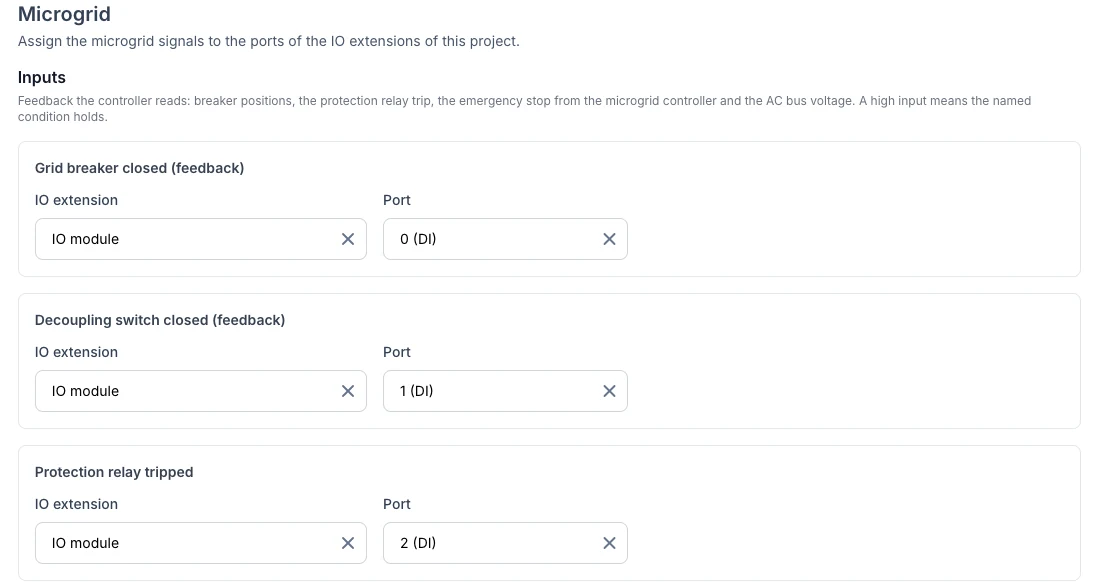
Inputs: each signal on its own digital input (DI) of the IO module.
| Inputs (a high input means the condition holds) | Outputs |
|---|---|
| Grid breaker closed (feedback), required | Grid breaker: close |
| Decoupling switch closed (feedback) | Grid breaker: open |
| Protection relay tripped | Decoupling switch |
| Emergency stop from microgrid controller | Generator start |
| AC bus voltage present | Emergency stop to microgrid controller |
| PV disconnect (high = PV off) or PV release (high = PV allowed) |
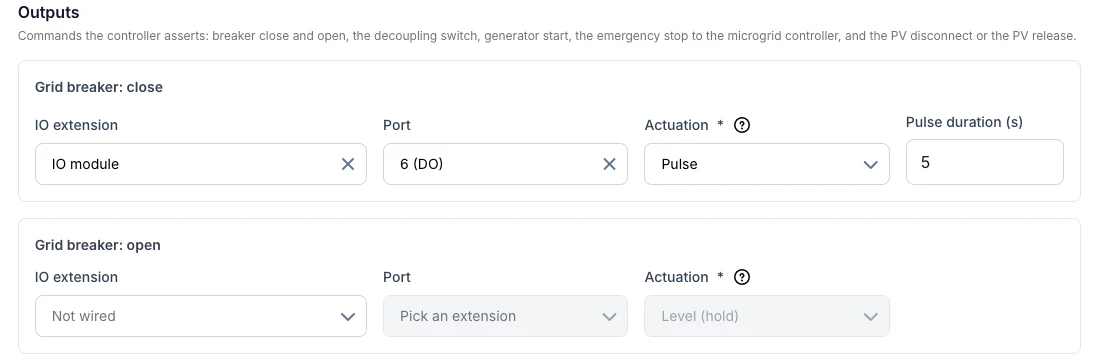
Outputs: the breaker close command as a 5-second pulse.
- One port carries one role, and one role sits on one port.
- Use either PV disconnect or PV release, not both. Both only work with level actuation.
- A relay that carries a microgrid role cannot be tested from the device page. Remove the role first.
Generator settings
The generator's own limits are set on the generator device: open Devices, choose the generator and go to its settings.
| Setting | Meaning |
|---|---|
| Rated power | The generator's rated power in kVA. Required. |
| Ramp rate | How fast the generator may change its power, in % per second. Required: without it the controller does not dispatch the generator. |
| Minimum load / Target load | The lowest load the generator may run at (30 %) and the load it aims for (80 %). |
| Minimum runtime / Minimum off time | In minutes, to avoid short start and stop cycles. |
| Fuel cost / Start-up cost | In € per kWh and € per start. The fuel cost is used in the microgrid report. |
Load shedding priorities
Open Configuration → Strategy and scroll to Load shedding priorities. The order applies project-wide, to the grid limit protection and to island operation.
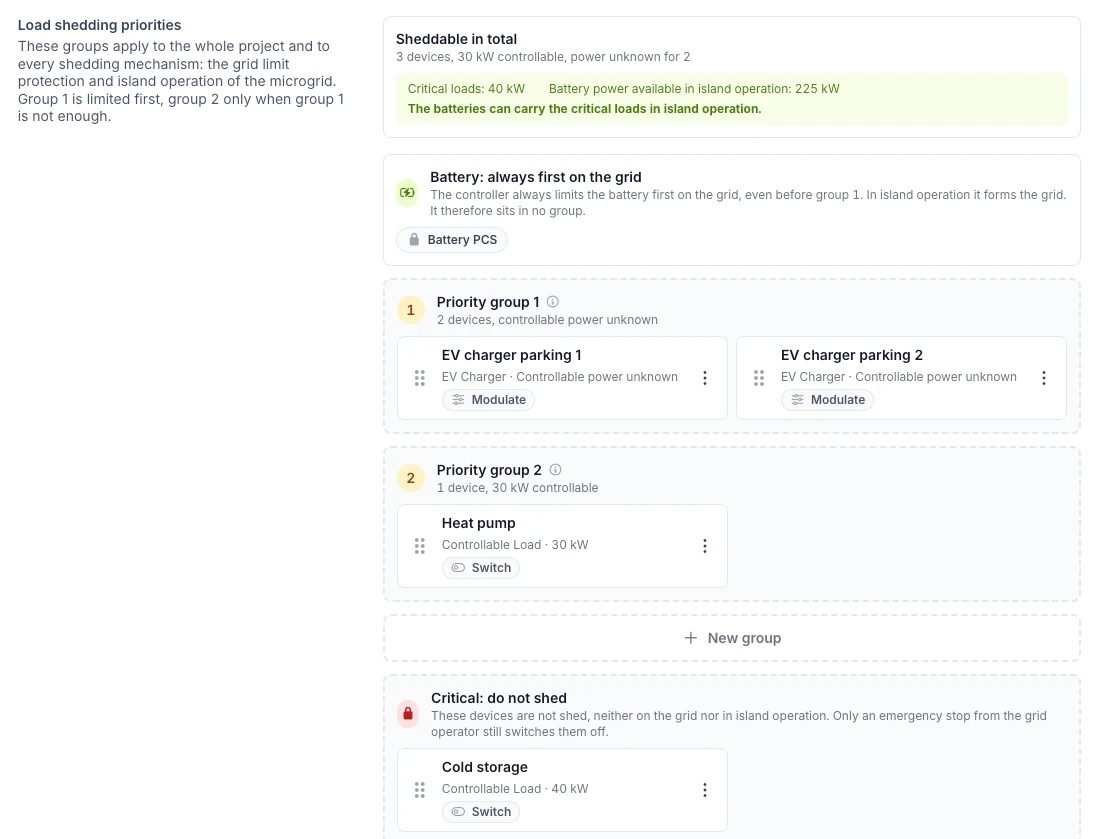
EV chargers are shed first, then the heat pump. The cold storage is critical and stays on.
- Priority group 1 is limited first, group 2 only when group 1 is not enough. Drag devices between groups or use the menu on a device. Within a group, the controller limits EV chargers before switched loads.
- Critical: do not shed: these devices are never shed, on the grid nor in island operation. Only an emergency stop from the grid operator still switches them off.
- The battery sits outside the groups: on the grid it is always limited first, in island operation it forms the grid.
- With Microgrid on, the top of the list checks whether the batteries can carry the critical loads in island operation (battery power minus the power reserve).
The order only reaches the controller once you click Save priorities. As long as the list shows Default order, the controller uses its own default order: EV chargers first, then the other loads.