Device integrations
Data mandate and comparison
Retrieve the official metering data of your Fluvius connection through a data mandate, and compare it against the measurement taken locally by the EMS.
Fluvius keeps the official metering data of your grid connection: the quarter-hourly consumption and injection values that your supplier and the grid operator settle on. Voltmasters can retrieve that data for your project, but only after you have explicitly authorised it with a data mandate.
With the data in place, the platform can put the two sources side by side: what Fluvius registered, and what the EMS itself measured on site (the local measurement).
The data mandate
A mandate is an authorisation you grant to Voltmasters, per meter point, to read the metering data of that point. It is confirmed on the Fluvius side with itsme, so it can only be granted by the person who manages the connection.
Requesting a mandate
Open the grid connection references
Go to Configuration → Grid & market → Grid settings and scroll to the grid connection references below the grid settings (see Project settings). The section is shown for Belgian projects only.
Add the meter point
Enter the Meter Point Identifier, the 18-digit EAN of the connection printed on your electricity bill and on your grid connection contract, and choose the Type of data the mandate covers:
Type Covers Consumption The energy drawn from the grid. Production The energy injected into the grid. Combined Both directions on the same meter point. Click Add to save the meter point.
Synchronize with Fluvius
Start Synchronize with Fluvius. You are taken to Fluvius, where you confirm the mandate with itsme. Use the account that legally manages the connection: a mandate granted by anyone else is refused.
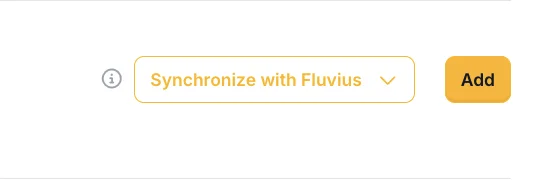
Starting the mandate flow for a meter point.
Check the status
Once Fluvius has approved the mandate, the meter point shows as Active, together with the moment it was approved, the date it expires, and the moment the data was last synced. From then on the platform retrieves the metering data automatically.
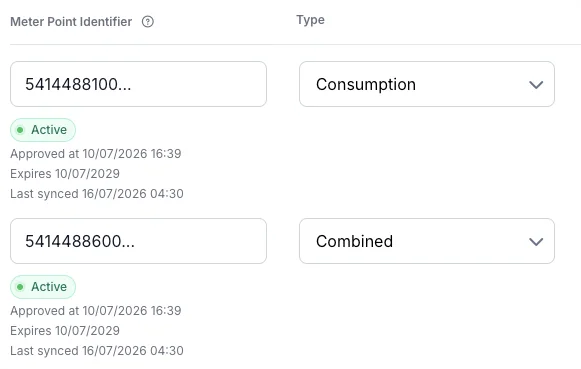
An approved mandate per meter point, with its type, approval date, expiry and last synchronisation.
A mandate is granted for a fixed term and stops delivering data when it expires. Watch the expiry date shown with the meter point and renew the mandate in time if you want the comparison to stay available.
A mandate only gives read access to metering data. It does not give Fluvius or Voltmasters any control over your installation. Remote control by the grid operator runs over a completely separate channel, see DSO RTU.
The comparison report
The report puts the official Fluvius data next to the local measurement: the same period, as measured by the meter that the EMS controller reads on site.
You find it under Analysis → Reports → Grid operator comparison. The menu entry appears once the project has an active mandate, so a project without an approved mandate does not carry a report that has nothing to show. The entry is named after the grid operator in general, because the same report will cover other operators as they are integrated.
What it shows:
- A date range you choose yourself, and a selection of the meter point (mandate) to compare.
- Consumption and production graphs of both sources over that period, so a deviation is visible as a shape and not only as a number.
- Totals per source and the difference between them.
- Anomaly detection that flags periods where the two sources diverge more than expected, so you do not have to scan the whole range yourself.
Local measurement is the value measured by your own installation and used by the EMS to control it. Fluvius is the value registered by the grid operator and used for settlement. The comparison shows how well the first matches the second.
What to use it for
- Verify the metering configuration after commissioning: a wrong CT ratio, a reversed measuring direction or a meter on the wrong circuit shows up immediately as a structural deviation.
- Check the settlement figures: verify the quarter-hourly peaks and volumes your operator invoices against what the installation measured.
- Track down unexplained differences: a load or generation source measured on one side and not on the other.
Small differences are normal. The two measurements are taken at different points in the installation, with different measurement classes, and their timestamps do not align perfectly. Structural, repeating deviations are the ones worth investigating.