Skip to content

Adding a new project

Create a project in the Voltmasters platform and link an EMS controller to it, from the site details to the controller ID.

Follow these steps to create a new project and link a controller to the Voltmasters EMS platform.

  1. Start a new project

    On the home screen, click Add new project.

  2. Enter project information

    Fill in the basic details of the installation site:

    • Project name: enter a clear and unique name for the project, for example Company HQ - Battery System.
    • Street: street name of the installation address.
    • City: city where the system is installed.
    • Postal code: postal or ZIP code of the location.
    • Country: select the country from the dropdown list.
  3. Configure grid capacity limits

    These values define the technical limits of the grid connection and are critical for EMS operation.

    • Grid import capacity limit (kW): enter the maximum power that may be imported from the grid. This value is used for load limiting and peak shaving.
    • Grid export capacity limit (kW): enter the maximum power that may be exported to the grid. This is important for export limitation and PV curtailment.

    These limits should match the contractual or physical grid connection limits. Be sure to verify this in advance.

  4. Link the controller

    • Controller ID: enter the unique Controller ID of the EMS controller installed on-site.
      • Make sure the controller is powered on and connected to the internet.
      • The Controller ID can be found on the device label.
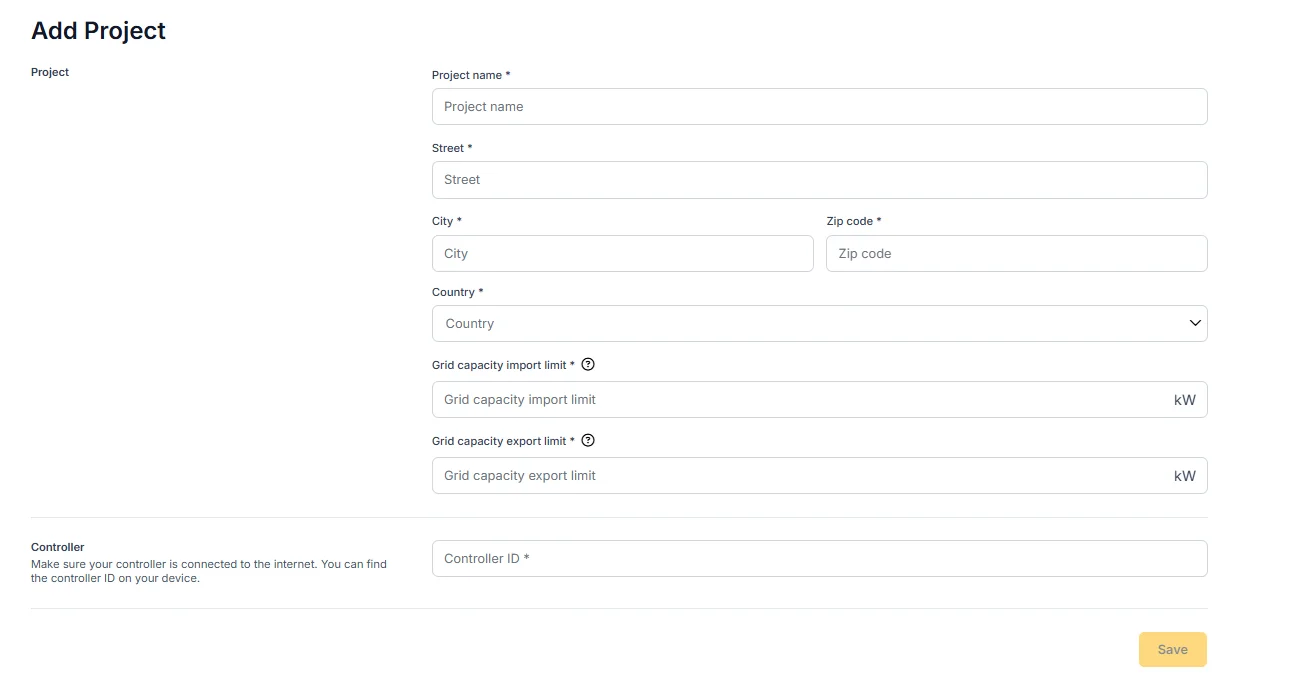
The Add project form with the site details, the grid capacity import and export limits in kW, and the controller ID field.

Having the project validated

A new project is first commissioned: devices are added, the grid settings are entered and the control strategy is chosen. When that work is finished, you can have the configuration checked by the Voltmasters project engineers before the installation goes into service. Mark the project as ready for validation.

  • The EMS dashboard shows a status bar with the validation state of the project, so everyone involved can see whether the project is still being commissioned, is waiting for validation, or has been validated.
  • Voltmasters reviews the configuration: the meters and their roles, the grid limits, the strategy and the energy contract, and the communication with each device. Anything that needs correcting is reported back to you.
  • The engineers work through a fixed validation checklist, so you know in advance what is being checked: whether all project settings are entered, whether the battery responds to a charge setpoint and to a discharge setpoint, whether the PV inverters respond to a curtail setpoint, and whether there is no oscillation. Remarks can be added per point, and the project can only be validated once every point is met.
Voltmasters EMS: the controller validation checklist

The checklist the project engineers work through before a project is validated.

* After you correct the findings, request the validation again.

Before you request a validation, check that:

  • every device has been added and is delivering live data;
  • the correct main meter is selected and the grid connection type matches the installation;
  • the import and export limits and their safety margins match the grid connection contract;
  • the strategy and the energy contract match each other.

See Adding and verifying devices and Project settings for the settings involved.