Voltmasters Platform
Activity
The Activity page of a Voltmasters EMS project: a full audit trail of configuration changes per object, event and date.
The Activity page, under Configuration → Activity, is the audit trail of this project and its devices: every configuration change, with who made it and when.
The log
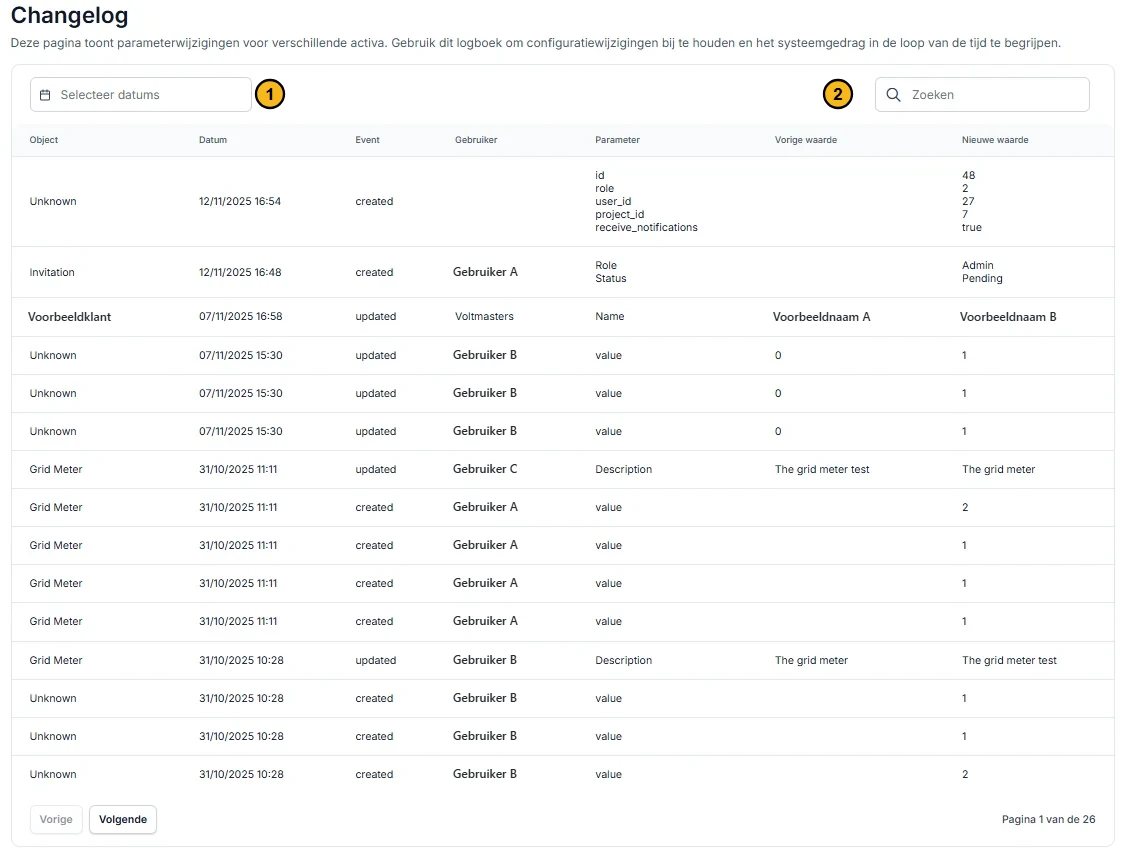
The log. Numbers 1 and 2 are the filters at the top; the columns are in the table below.
The columns
| Column | Description |
|---|---|
| Object | What was changed: the project, a device or a settings object |
| Date | The date and time of the change |
| Event | What happened, for example created, updated or deleted |
| User | The person or account that made the change |
| Parameter | The individual setting that changed |
| Previous value | The value before the change |
| New value | The value after the change |
Filtering the log
Filter with the date picker (1) and the search field (2). Narrow further by user or by device. Devices with the same name get a distinguishing detail in the device filter, such as their serial number, their parent device or the date they were added. Clear filters returns to the full log.