Microgrid
Grid reconnection
How a Voltmasters microgrid returns to the grid: releasing the reconnection in the platform or the app, the interruption it causes and the eight steps of the procedure.
Reconnecting an island to the grid briefly cuts the power: the controller first makes the site's bus dead, then closes the grid breaker. That is why, by default, the controller does not reconnect on its own but waits for a release.
When the grid is back
As soon as the grid has been stable long enough, the site enters Grid back, waiting for release and keeps running as an island. At the same time:
- the incident Reconnection to the grid awaits release opens;
- users who may release get a push notification Grid is back, release needed in the mobile app;
- a Grid is back banner appears at the top of the project's Overview.

The banner shows since when the grid is back and holds the Release reconnection button.
Who may release
Voltmasters administrators and users with the Installer role on the project. Other users see the banner with the message that an administrator of the project has to release the reconnection.
Releasing the reconnection
Click Release reconnection
In the banner on the Overview, or on the microgrid screen of the mobile app. Choose a moment when a short interruption does no harm.
Confirm
The confirmation window states how long the site may be without power. Click Release reconnection to start, or Cancel.
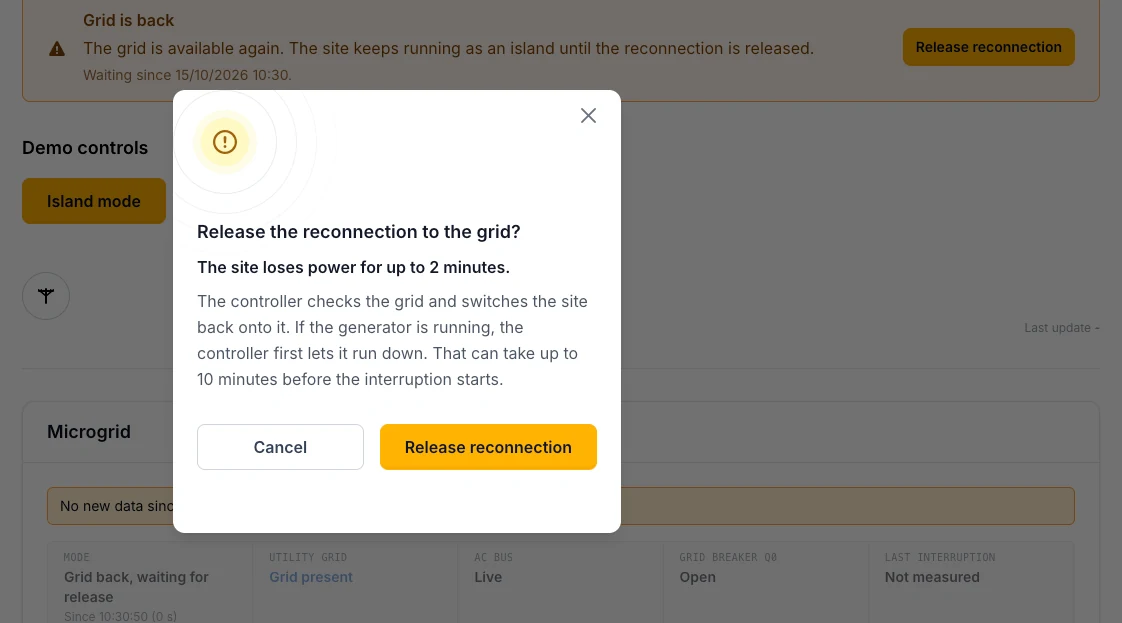
When the battery forms the island, the site loses power for at most two minutes.
Follow the procedure
The banner and the procedure panel show which step is running. When the site is back on the grid, the banner says so and the incident closes.
How long the interruption lasts
| Situation | Interruption |
|---|---|
| The battery forms the island | At most 2 minutes. |
| The battery forms the island, a generator runs alongside | The generator first runs down, which can take up to 10 minutes before the interruption starts. The interruption itself stays within 2 minutes. |
| The generator forms the island | The site is without power until the generator has cooled down and stopped and the site is back on the grid: at most about 12 minutes. |
The eight steps
The procedure panel ticks off the eight steps of a reconnection, each with what the controller waits for.
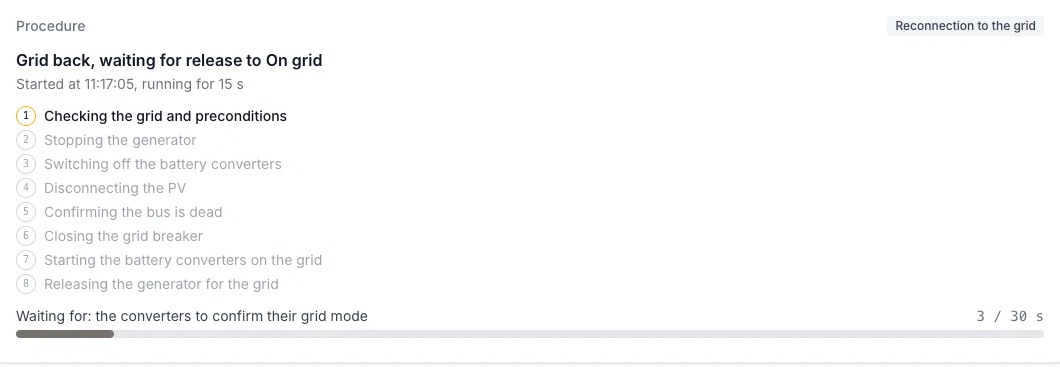
Step 1 of 8: Checking the grid and preconditions
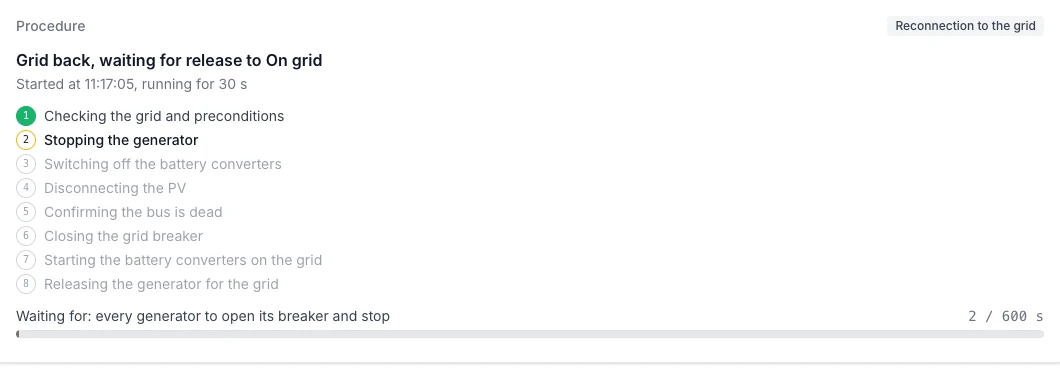
Step 2 of 8: Stopping the generator
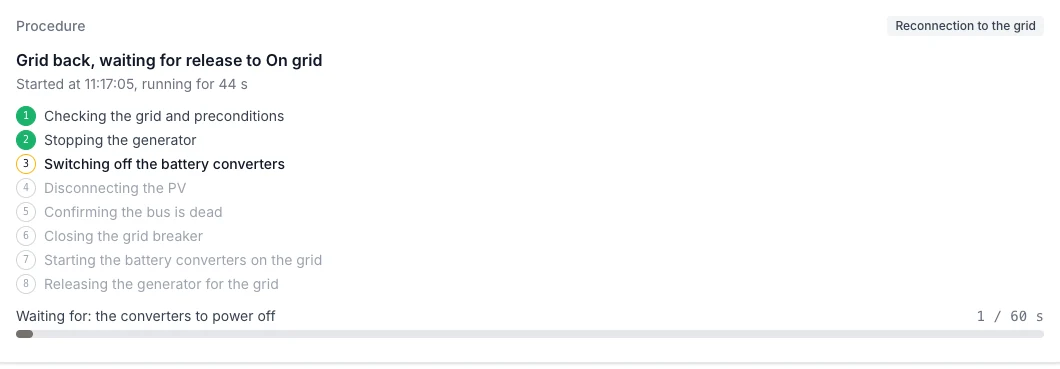
Step 3 of 8: Switching off the battery converters
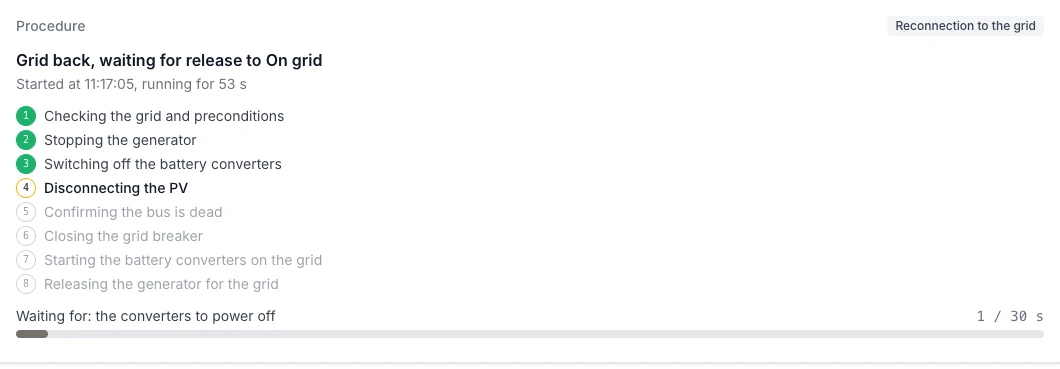
Step 4 of 8: Disconnecting the PV
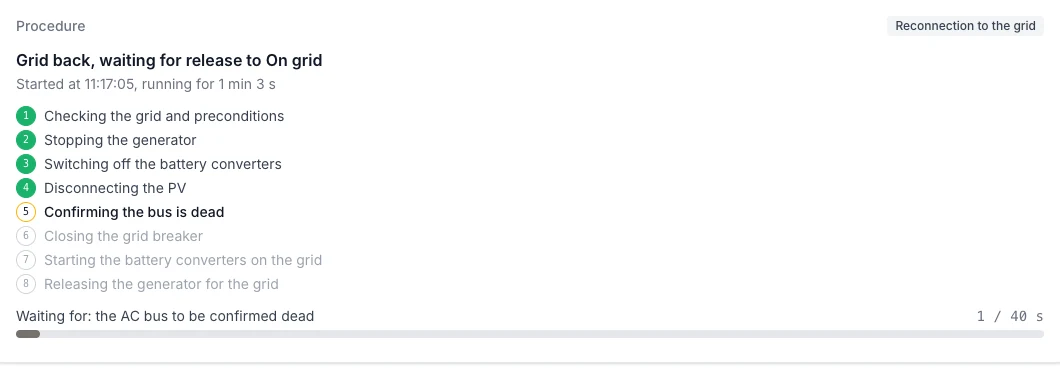
Step 5 of 8: Confirming the bus is dead
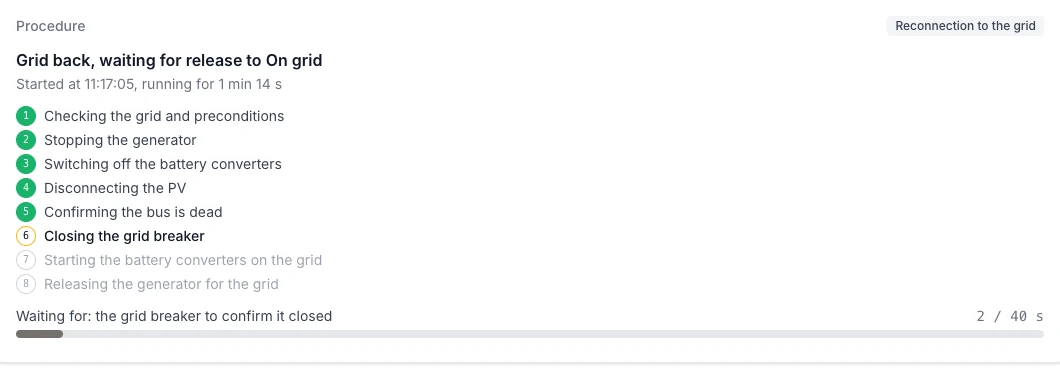
Step 6 of 8: Closing the grid breaker
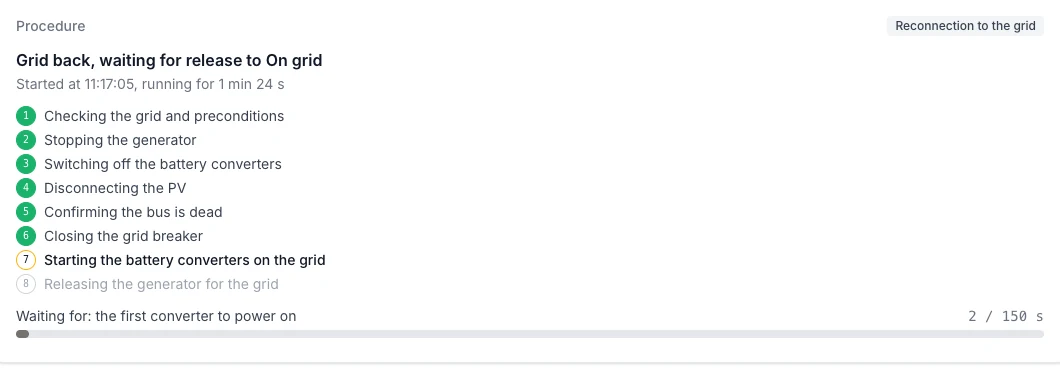
Step 7 of 8: Starting the battery converters on the grid
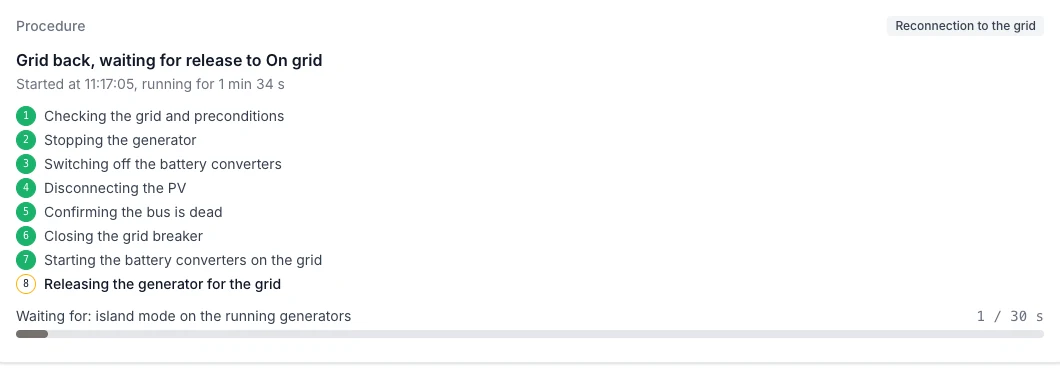
Step 8 of 8: Releasing the generator for the grid
- Checking the grid and preconditions
- Stopping the generator, if one runs (cool-down included).
- Switching off the battery converters
- Disconnecting the PV
- Confirming the bus is dead
- Closing the grid breaker
- Starting the battery converters on the grid
- Releasing the generator for the grid
When it does not succeed
- The controller stops the reconnection: the site keeps running as an island, the incident Reconnection to the grid was aborted opens, and the banner shows at which step and why. You can release again.
- The controller does not report back in time: check the project's incidents and the live diagram before releasing again.
Automatic reconnection
With Reconnection set to Automatic in the microgrid settings, the controller reconnects on its own once the grid is stable and the Automatic reconnection delay (60 s) has passed. Choose this only when an unannounced short interruption is acceptable on the site.
Every release is recorded in the project's activity log, with the user who gave it and the outcome.