Voltmasters Platform
Main navigation
The left navigation bar of the Voltmasters platform: Projects with status per site, the aggregated Overview and the other main sections.
The vertical navigation bar on the left gives access to the main sections:
- Projects: lists all projects and sites you are authorised to see. From here, you can open the project dashboard or create a new project. Each project row shows its status, battery level, solar production, and firmware version.
- Overview: aggregated overview across all projects. It summarises total consumption, injection, and production, and shows how many sites are healthy or in error.
- Incidents: shows open incidents across projects, with filters and search. Columns include project name, device, incident type, and description.
- Support: opens the Voltmasters support portal, where you can find documentation and contact information.
Use the dropdown in the top-left corner of the sidebar to switch between projects. Once you open a project, extra sections appear under Monitoring.
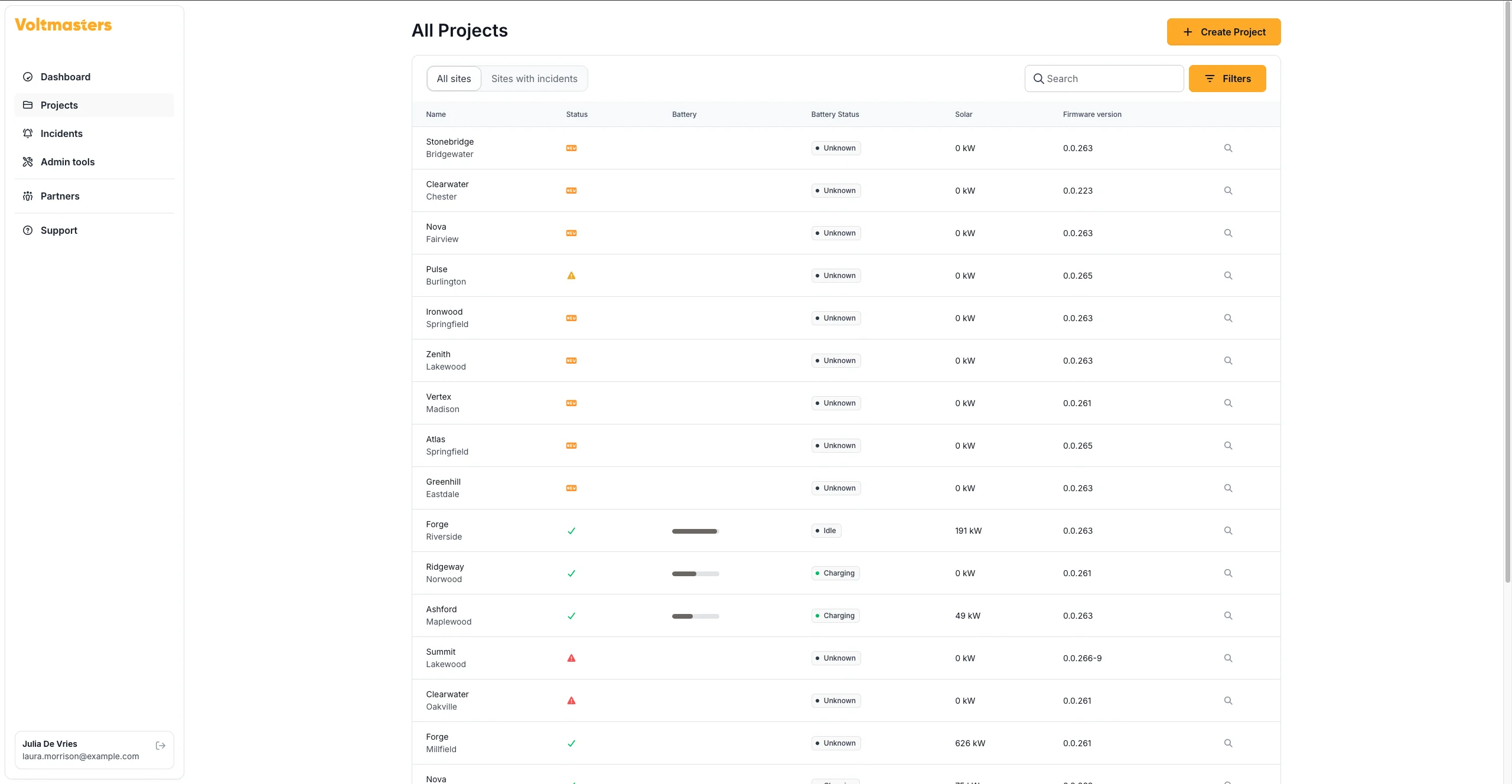
Voltmasters EMS: project overview page